
Personal AI Workspace
A working system for research, AI-assisted builds, and repeat tasks.
My contribution
I set the direction, supply context, and review the result. AI handles much of the research and implementation.
Two choices instead of a wall of instructions
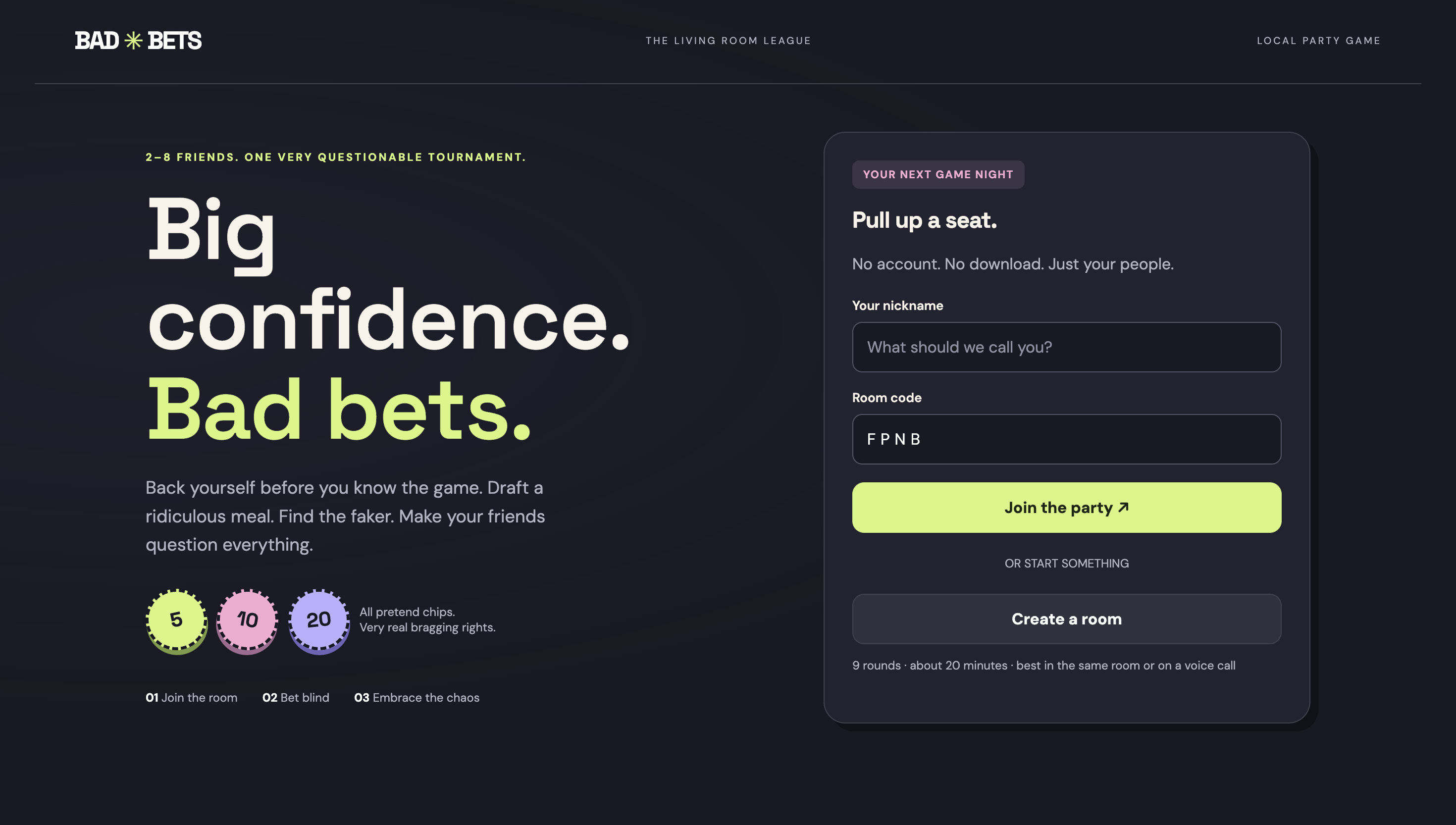
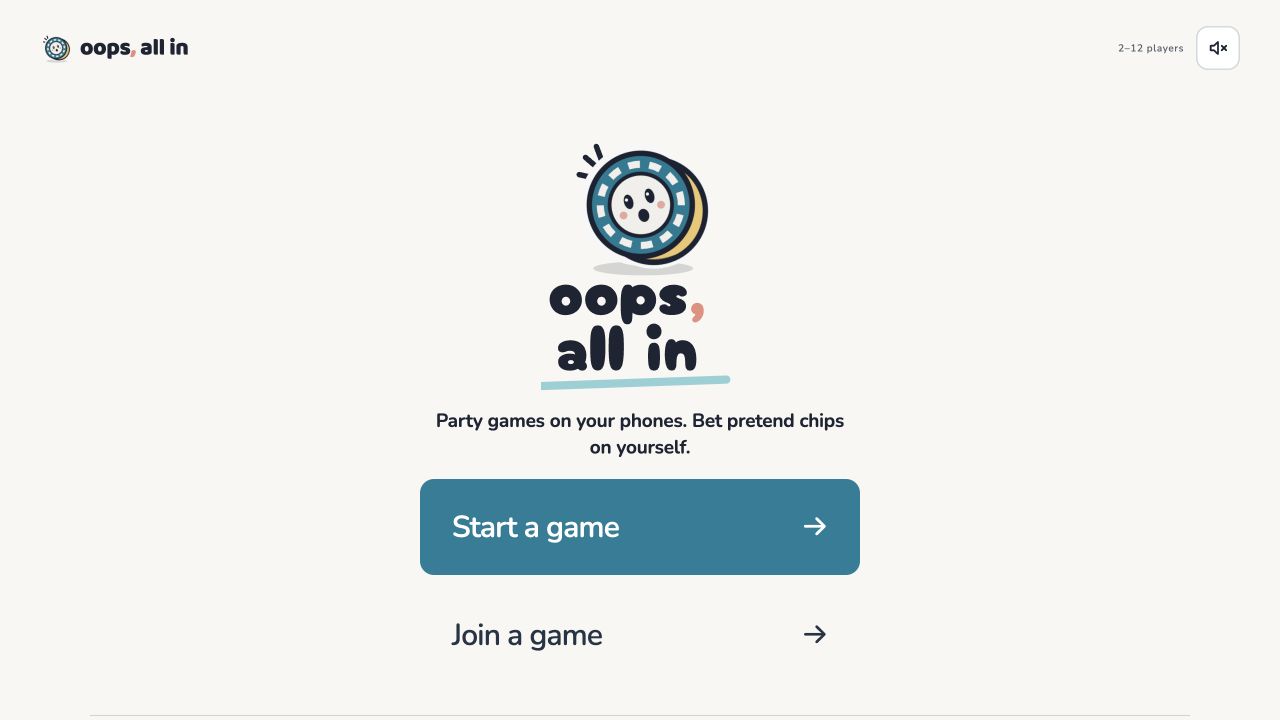
For Oops, All In, I replaced a crowded opening with two choices: Start or Join.
- Where AI helped
- Codex and Claude Code did most of the building. I supplied references, set the direction, and gave feedback on successive versions.
- What I checked
- I played through versions and reviewed joining, betting instructions, and returning after a closed tab. I revised what felt confusing or unnecessary.
Beta. These screens show a design change; usability gains have not been measured.
Explore Oops, All In →How the workflow works, and what I learned
-
Define the problem
Start with the person and the decision.
-
Explore the options
Bring context. Compare possible approaches.
-
Build a first version
Make something concrete to evaluate.
-
Check and improve
Test the result against the original goal.
-
Make the next pass easier
Save what works. Automate the repeat work.
How the workspace supports the next project
Keep the context
Project notes hold the facts, constraints, and past decisions so a new session can pick up the work.
Save useful instructions
Reusable skills carry instructions for tasks such as writing in my voice or preparing project materials.
Schedule repeat work
Recurring tasks handle checks and reports, leaving results for me to review.
Leave a handoff
A short record of what changed, what was checked, and what remains open helps the next session continue.
What broke, and what I changed
Two sync services once created duplicate copies of my workspace after its location changed. Working through the issue with Claude, we traced the cause and added a check that flags a moved or duplicated workspace at the start of a session.
Where it stands
The workspace is in daily use for my job search, side projects, and admin. I have not measured time savings or business ROI. I review work before using it, and outbound actions in this workspace require my approval.